
Space Between
Learn how to define the distance between the horizontally or vertically placed options of the Radio Field and Checkbox Field.
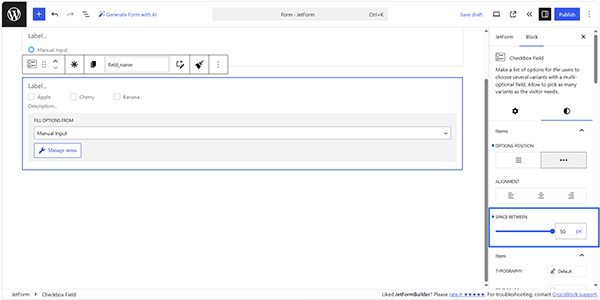
The Space Between feature is intended to set the needed distance between the horizontally or vertically placed options of the Radio Field and Checkbox Field.
The settings can be found in the Items section of the Styles block’s settings. The corresponding width can be set by moving the SPACE BETWEEN slider or inserting the corresponding value in pixels (instead of the default value of ten pixels).
The feature doesn’t change the distance between the options and the edge of the field; in this case, the Margin or Padding features can be used.
FAQ
Yes. The Space Between value can be configured separately for each Radio Field or Checkbox Field.
No, it does not affect site performance.
No. It only changes the visual spacing between the options and does not modify their values or labels.
That’s it. Now you know how to set the distances between the horizontally placed options of the Radio Field and Checkbox Field of the JetFormBuilder plugin for WordPress.