
How to Create a Logout Form
If you have an accounts feature on the site, you may need a logout option for users. One of the options is to create a straightforward logout form using the WordPress JetFormBuilder plugin.
Table of Contents:
Create a Form
First, we navigate to WordPress Dashboard > JetFormBuilder > Add New Form.
Enter the form’s title — in this case, it is “Logout Form”.
The Welcome block appears by default. From here, you can select a form pattern or generate a form with OpenAI. Otherwise, you can hit the “Start from scratch” button and use the three fields added by default; otherwise, you can delete them to begin anew.
In this case, we start from scratch and delete all fields, keeping only the Action Button.
Proceed to the JetForm tab and scroll down to the Post Submit Actions section. Click the “+ New Action” and select the “Call Hook” action. Enter the desired HOOK NAME.
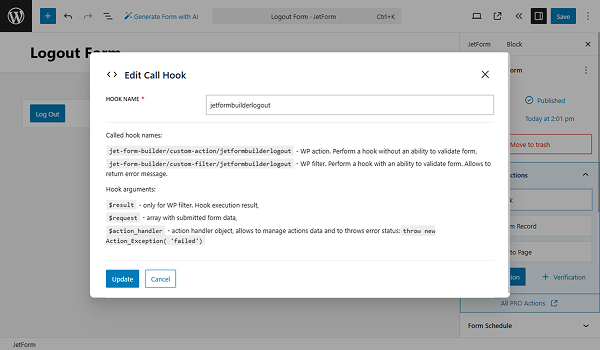
Click the “Update” button.
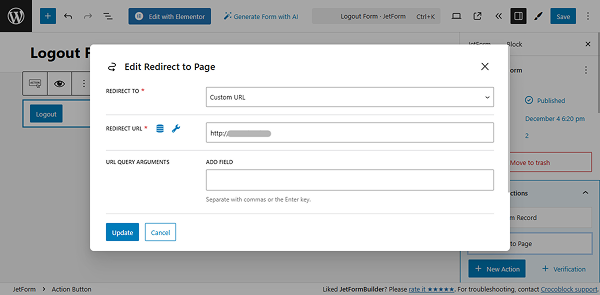
Then, add the “Redirect to Page” action. In the REDIRECT TO dropdown, select the “Custom URL” option. Then, in the REDIRECT URL field, enter the link from your site where you would like to redirect users after they log out (we put the home page link).
To ensure that the logout element disappears from the page after the user is logged out, click the “eye” icon to set the block’s Visibility Conditions. Click the Enable toggle and select the “Show element if condition met” option for the VISIBILITY CONDITION TYPE. Click the “Add new item” button and choose the “User logged in” condition.
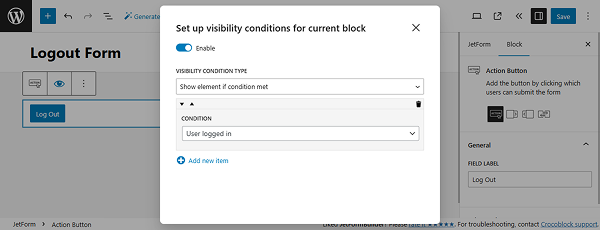
Click the “Update” button once you are ready. Save the form changes.
Adjust the Code
Add the following code to the functions.php of your child theme, or in the Code Snippets plugin, or a similar one:
add_action( 'jet-form-builder/custom-action/jetformbuilderlogout', function( $action_handler ) {
wp_logout();
} );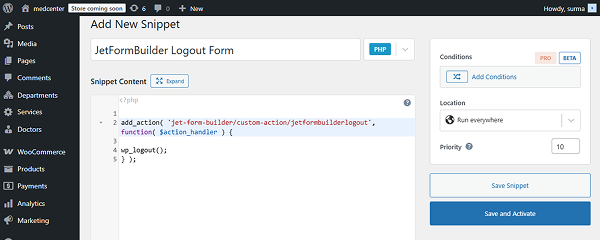
Click the “Save and Activate” button.
Add the Form to a Page
Proceed to the page where you need to add the form and insert it, following the How to Display a Form on the Front End guide. In this case, we add the widget to the header.
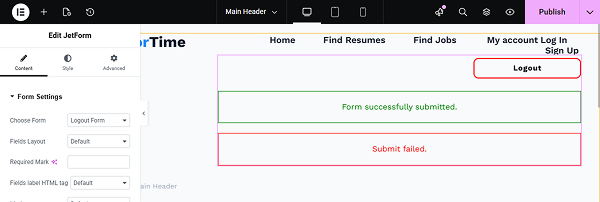
Click the “Publish” button once you are ready.
Check the Result
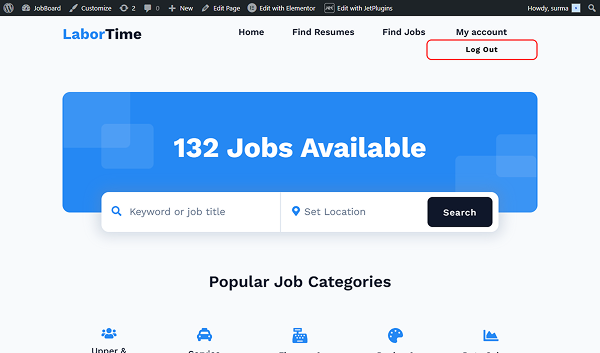
Proceed to the front-end page, and the “Log Out” button is presented in the header.
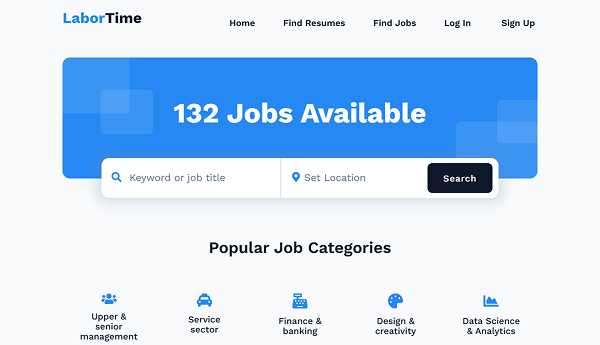
When we click the button, we are logged out and are redirected to the home page.
That’s it. Now you know how to build a logout form using the WordPress JetFormBuilder plugin.